
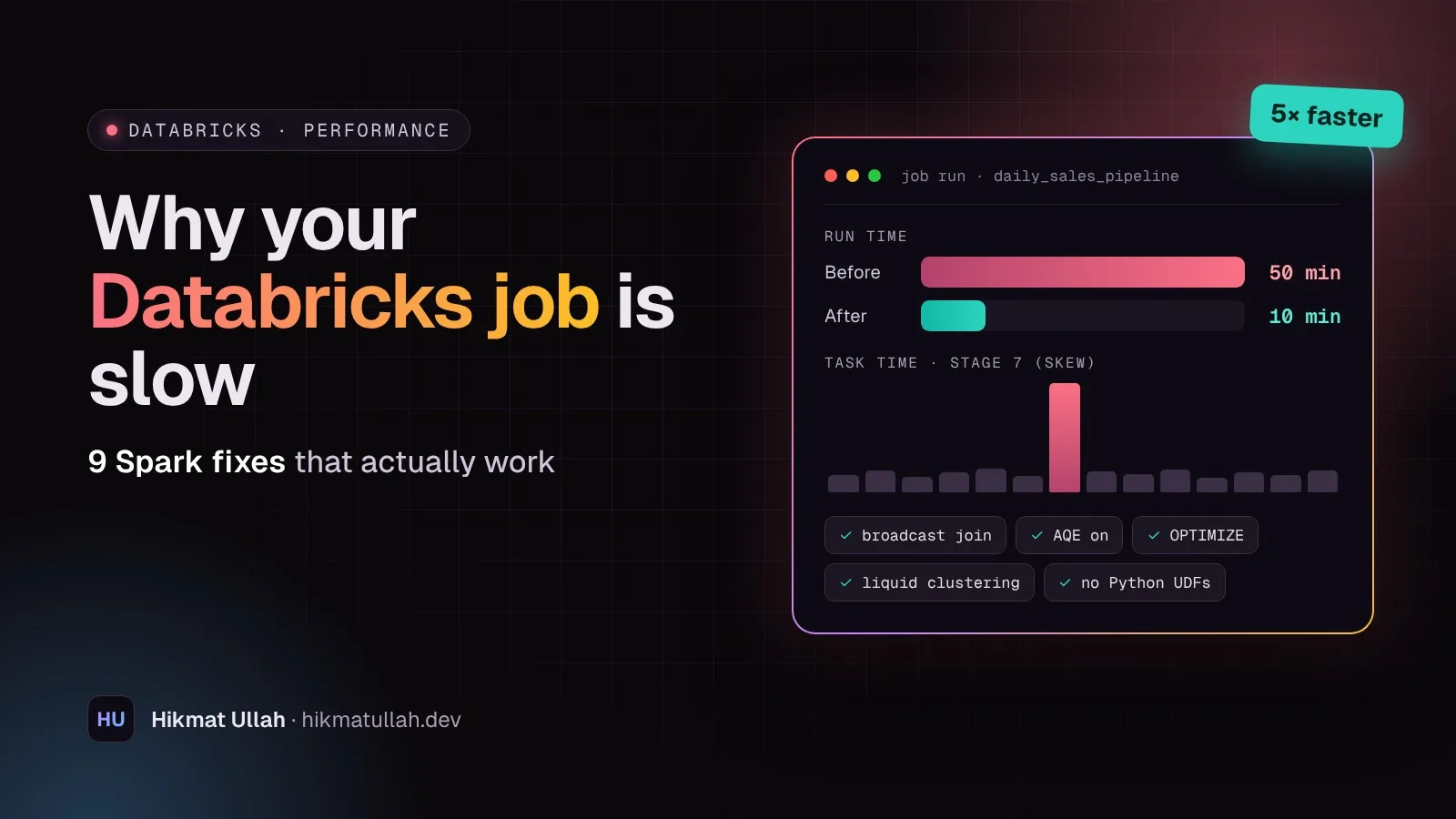
A Databricks job that took 10 minutes last month now takes 50. Nobody changed the code, the data just grew. I see this all the time, and the fix is almost never "use a bigger cluster". Most slow Spark jobs have the same handful of causes. These are the 9 checks I go through, in this order.
1. Open the Spark UI before changing anything
Guessing is expensive. Open the job run, go to the Spark UI and look at the Stages tab. Three things tell you most of the story:
- The longest stage. That is where your time goes.
- Spill (memory and disk). If a stage spills, it is short on memory or has skewed data.
- Task time: max vs median. If the slowest task takes 20 minutes and the median takes 20 seconds, you have data skew (see fix 5).
Write down the run time before you start. Every change after this should be measured against it.
2. Read less data
The fastest data is data you never read. Two simple habits make a big difference:
- Select only the columns you need. Delta and Parquet store data by column, so fewer columns means less to read.
- Filter early, on the raw column. Wrapping a column in a function can stop Spark from skipping files.
from pyspark.sql import functions as F

# Slow: function on the column, reads more files
df = spark.table("sales.orders").filter(F.year("order_date") == 2026)

# Better: a plain range filter, Spark can skip files
df = (spark.table("sales.orders")
        .select("order_id", "customer_id", "amount", "order_date")
        .filter((F.col("order_date") >= "2026-01-01") & (F.col("order_date") < "2027-01-01")))
3. Broadcast the small table in a join
When you join a big table with a small one (a dimension table, a lookup, a mapping file), Spark can send the small table to every worker and avoid shuffling the big one. Spark does this by itself for small tables, but the size estimate is not always right, so give it a hint.
from pyspark.sql.functions import broadcast

result = orders.join(broadcast(countries), "country_code", "left")
Only broadcast tables that are really small, up to a few hundred MB. Broadcasting a big table moves the problem to memory instead of fixing it.
4. Make sure Adaptive Query Execution is on
Adaptive Query Execution (AQE) lets Spark change the plan while the job runs: it merges tiny shuffle partitions, switches to broadcast joins when a table turns out small, and splits skewed partitions. It is on by default in recent Databricks runtimes, but old jobs and copied configs sometimes turn it off.
spark.conf.get("spark.sql.adaptive.enabled") # should be 'true'If you find a hardcoded spark.sql.shuffle.partitions from years ago, test the job without it. With AQE, the old fixed number often does more harm than good.
5. Fix data skew
Skew means one key has far more rows than the others, for example one huge customer or a lot of NULL keys. One task does all the work while the rest of the cluster waits.
What to try, in order:
- Check for NULL or placeholder keys like
-1or'UNKNOWN'. Filter them out before the join and add them back after. - Let AQE handle it. Check that
spark.sql.adaptive.skewJoin.enabledistrue. - Salt the key for really extreme cases: add a random number to the big key and repeat the small side to match. This is the last resort, not the first.
6. Compact small files
Streaming jobs and frequent small writes leave thousands of tiny files behind. Opening each file costs time, so reading 50,000 small files is much slower than reading 200 well-sized ones.
-- Compact the files of a Delta table
OPTIMIZE sales.orders;

-- Let Delta write bigger files and compact automatically from now on
ALTER TABLE sales.orders SET TBLPROPERTIES (
  'delta.autoOptimize.optimizeWrite' = 'true',
  'delta.autoOptimize.autoCompact'   = 'true'
);
7. Use liquid clustering instead of over-partitioning
A common mistake is partitioning a table by a column with too many values, like customer_id or a timestamp. You end up with tiny partitions and tiny files. For new Delta tables, liquid clustering is usually a better choice: you pick the columns you filter on most, and Databricks organises the data around them.
ALTER TABLE sales.orders CLUSTER BY (order_date, customer_id);
OPTIMIZE sales.orders;
Pick 1 to 4 columns that appear most often in your WHERE clauses and join keys.
8. Replace Python UDFs with built-in functions
A regular Python UDF sends every row from the JVM to Python and back. On large tables that is painfully slow. Almost everything people write UDFs for already exists in pyspark.sql.functions.
# Slow: Python UDF
from pyspark.sql.types import StringType
clean = F.udf(lambda s: s.strip().upper() if s else None, StringType())
df = df.withColumn("city", clean("city"))

# Fast: built-in functions
df = df.withColumn("city", F.upper(F.trim("city")))
If you really need custom Python logic, use a pandas UDF, which processes data in batches.
9. Stop paying for compute you do not use
Some "slow and expensive" problems are not about the code at all:
- Run scheduled jobs on job compute, not on an all-purpose cluster someone left running.
- Turn on auto termination for interactive clusters.
- Try Photon for SQL-heavy and Delta-heavy workloads, and compare cost per run, not only speed.
- Process only new data. If a job reloads the full history every day, switch to incremental loads with Auto Loader or a
MERGEon new records only. This one change often saves more than every other fix on this list. - Avoid
collect()andtoPandas()on large DataFrames. They pull everything onto the driver and can crash the job.
Where to start
If you only have one hour: open the Spark UI (fix 1), cut the columns and filters (fix 2), and run OPTIMIZE on the biggest tables (fix 6). In my experience those three alone fix most slow jobs.
I teach this hands-on, with real slow jobs to tune, in my Azure Databricks Engineer course. If you would rather have someone look at your company's pipelines, I also offer data engineering services.